
VoIP CRM Integration: A Comprehensive Guide
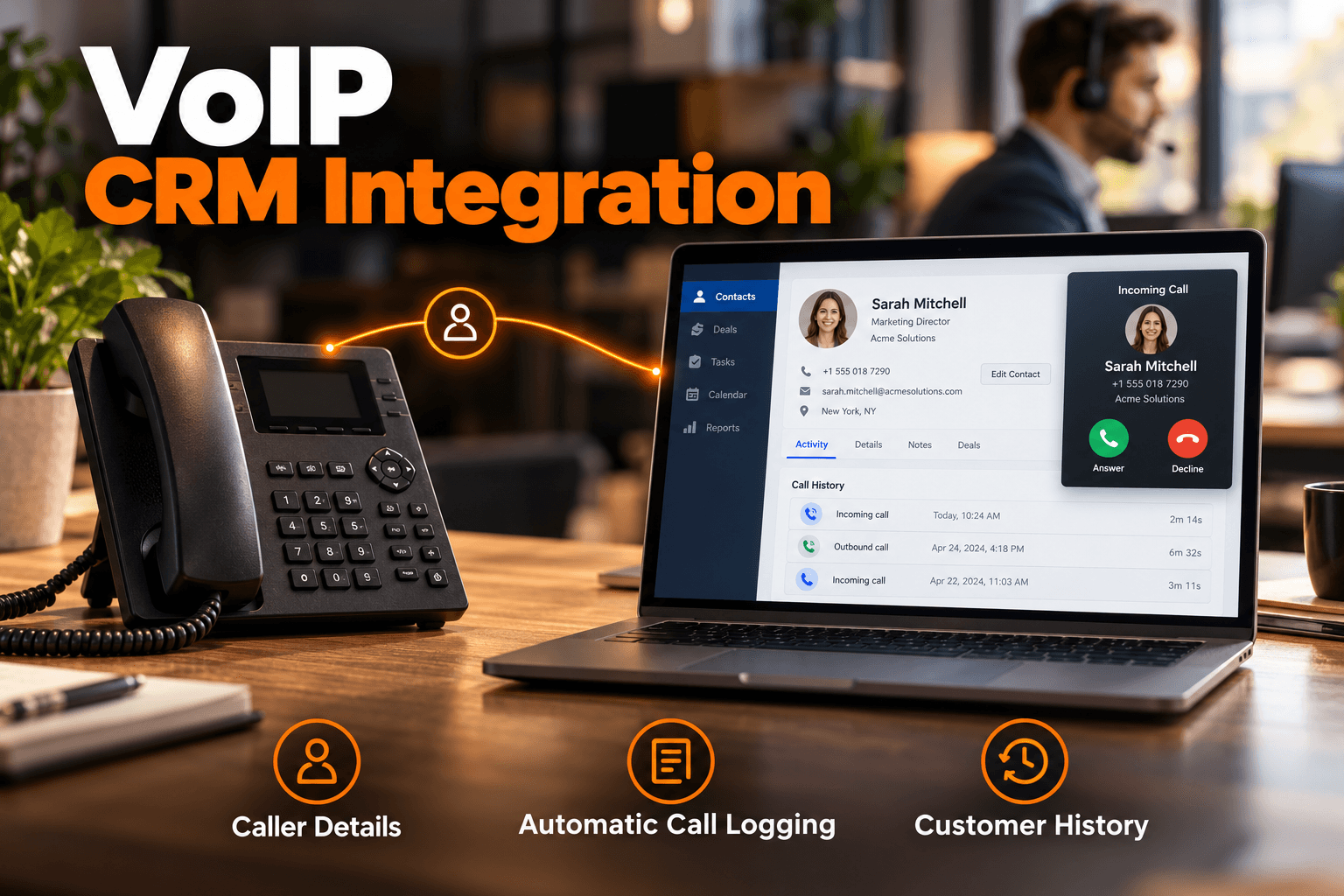
A VoIP CRM integration connects your business phone system with your customer relationship management platform so calls and customer information can work together. Instead of employees switching between a CRM, phone application, notes, and spreadsheets, an integrated system can automatically connect call activity with the correct customer record.
For sales, customer service, account management, and call center teams, this means faster access to customer information, less manual data entry, better call tracking, and more consistent follow-up.
This guide explains how VoIP and CRM integration works, its key benefits, common integration methods, setup steps, potential problems, and what to consider when choosing the right system for your businesls.
What Is VoIP CRM Integration?
VoIP CRM integration is the connection between a Voice over Internet Protocol phone system and customer relationship management software. The integration allows information to move between the two platforms automatically.
For outbound calls, employees can often select a phone number directly inside the CRM and start the call without manually entering the number. After the conversation, relevant call information can be added to the CRM automatically.
This may include:
- Caller or recipient information
- Call date and time
- Call duration
- Inbound or outbound status
- Missed-call status
- Call notes
- Call disposition
- Recording links
- Follow-up activities
The result is a more connected communication workflow where phone conversations become part of the customer's complete interaction history.
How Does VoIP CRM Integration Work?
Most integrations use APIs, native connectors, webhooks, or automation platforms to allow a VoIP phone system and CRM to exchange information.
When a call takes place, the phone platform generates an event. The integration sends relevant information from that event to the CRM. The CRM can also send information back to the phone platform.
For example, an inbound call workflow may look like this:
- A customer calls your business number.
- The VoIP platform detects the caller ID.
- The integration searches the CRM for the phone number.
- A matching customer record is identified.
- The agent sees the customer's information.
- The employee handles the conversation.
- Call details are added to the CRM after the call.
For outbound calls, the process works in the opposite direction. An employee can select a CRM contact and initiate the call through the connected phone platform.
Here is a simplified example:
| Call Event | Information Shared | CRM Action |
| Incoming call | Caller phone number | Find and display customer record |
| Outbound call | CRM contact information | Start click-to-call |
| Completed call | Time, duration, status | Add call activity |
| Missed call | Caller number and status | Create follow-up task |
| Call outcome | Notes or disposition | Update sales or support workflow |
A well-configured CRM phone integration reduces the need for employees to manually transfer information between systems.
What Are the Main Benefits of VoIP CRM Integration?
The biggest advantage of connecting your phone and CRM systems is improved access to customer information. However, the benefits extend across productivity, reporting, customer experience, and workflow automation.
Faster Access to Customer Information
Employees should not need to search through several applications while speaking with a customer. With a VoIP CRM integration, relevant customer information can appear as soon as the caller is identified.
An employee may be able to review:
- Previous conversations
- Account information
- Recent purchases
- Open opportunities
- Customer notes
- Support cases
- Previous call activity
Having this context available before or during the conversation can help employees respond more efficiently.
Automatic Call Logging
Manual CRM updates are easy to forget, especially when employees handle a large number of calls. Integrated systems can automatically record important call information.
This creates a more complete customer timeline without requiring employees to enter every interaction manually. Automatic logging also helps managers understand how frequently teams communicate with customers and leads.
Click-to-Call From the CRM
One of the most practical features of VoIP CRM software is click-to-call. Instead of copying a customer's phone number from the CRM and entering it into another application, employees can start a call directly from the customer record.
For teams making a high volume of outbound calls, removing these small repetitive steps can create a more efficient workflow.
Better Customer Experience
Customers often become frustrated when they repeatedly explain information that a company should already know. A CRM connected to the phone system gives employees greater visibility into previous interactions.
If a customer called yesterday about a specific problem, the next employee handling the account may be able to see that conversation history immediately. This makes it easier to provide a consistent experience across different employees and departments.
More Reliable Follow-Ups
Phone activity can also trigger automated workflows. For example, a completed sales call could automatically:
- Create a follow-up task
- Update the lead status
- Change the opportunity stage
- Notify the account owner
- Schedule another activity
A missed call could create a callback task so the customer is not forgotten. This is where a CRM with VoIP integration becomes more than a simple calling tool. It becomes part of the broader customer management process.
Better Reporting
A standalone phone system can tell you how many calls were made. A CRM can tell you what happened with customers and opportunities. Connecting the two allows businesses to evaluate phone activity alongside customer outcomes.
Three Ways to Integrate VoIP With a CRM
There is more than one way to create a VoIP CRM integration. The best approach depends on your CRM, phone provider, technical resources, and workflow requirements.
1. Native CRM Integration
A native integration is usually the simplest option. The VoIP provider has already built a connection for a specific CRM platform.
Common features may include:
- Click-to-call
- Caller identification
- Automatic logging
- Contact synchronization
- Call notes
- Activity records
Native integrations usually require less development and maintenance than custom solutions.
2. Automation Platforms
Automation tools can connect phone activity to other business applications. This approach can be useful when communication workflows involve several applications rather than only the phone system and CRM.
3. APIs and Webhooks
Businesses with more specialized requirements may use APIs and webhooks. This provides greater control over how information is exchanged between systems. The trade-off is that custom integrations usually require more development, testing, and ongoing maintenance.
How to Set Up VoIP CRM Integration?
Installing a connector is only one part of the process. A successful integration also depends on clean customer data and clearly defined workflows.
How to Set Up VoIP CRM Integration?
Installing a connector is only one part of the process. A successful integration also depends on clean customer data, clear workflows, and proper testing.
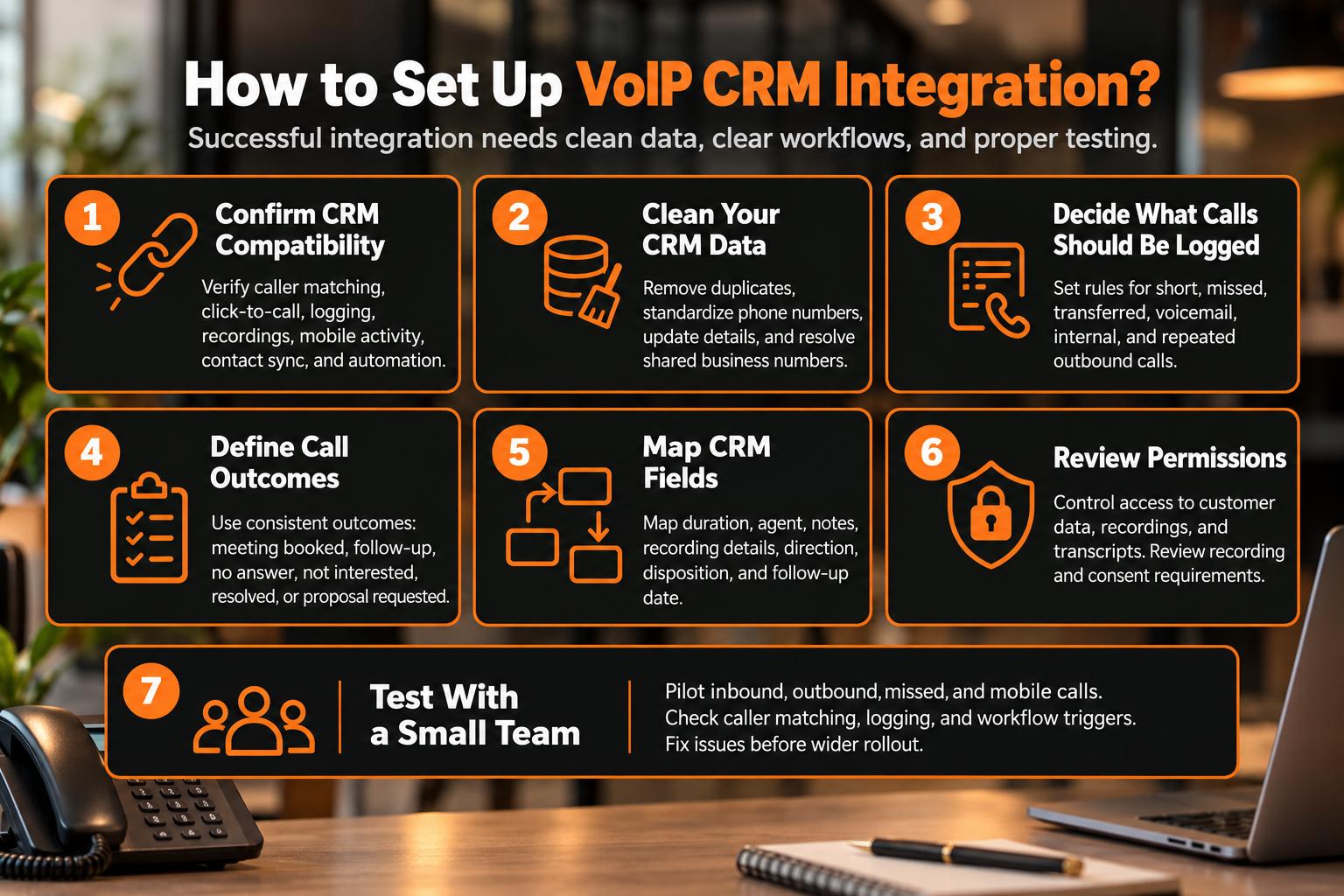
Step 1: Confirm CRM Compatibility
Check whether your phone system supports your existing CRM and verify which functions are included. Make sure features such as inbound caller matching, click-to-call, call logging, recordings, mobile activity, contact sync, and workflow automation are actually supported.
Step 2: Clean Your CRM Data
Review your CRM before connecting the systems. Remove duplicate contacts, standardize phone numbers, correct outdated information, and resolve cases where multiple contacts share the same business number.
Step 3: Decide What Calls Should Be Logged
Define which calls should create CRM activities. Decide how the system should handle short calls, missed calls, transfers, voicemail, internal calls, and repeated outbound attempts so the CRM does not become cluttered.
Step 4: Define Call Outcomes
Create clear call dispositions such as meeting booked, follow-up required, no answer, not interested, support issue resolved, or proposal requested. Consistent outcomes make reporting and automation more useful.
Step 5: Map CRM Fields
Decide where call data should appear inside the CRM, including call duration, agent name, notes, recording details, call direction, disposition, and follow-up date. Agree on the field structure before rollout.
Step 6: Review Permissions
Set appropriate access controls for customer information, recordings, and transcripts. Also, review call-recording and consent requirements with your legal or compliance team where necessary.
Step 7: Test With a Small Team
Start with a limited pilot before deploying the integration company-wide. Test inbound and outbound calls, caller matching, missed calls, mobile calls, call logging, and workflow triggers, then fix any issues before expanding access.
Common VoIP CRM Integration Problems
Even a reliable integration can create issues if CRM data, call rules, or workflows are not configured properly.
Caller Records Do Not Appear: Caller matching can fail when phone numbers are missing, duplicated, incorrectly formatted, or stored in the wrong CRM fields. Standardizing contact data usually resolves most of these issues.
Too Many Calls Are Logged: If every short call, transfer, or failed attempt is recorded, CRM timelines can become cluttered. Clear logging rules help ensure only meaningful interactions are saved.
Mobile Calls Are Missing: Some integrations handle mobile, desktop, browser, and desk-phone calls differently. Test each calling method your team uses to confirm that activity is captured correctly.
Employees Still Enter Data Manually: If employees still need to update call details manually, the workflow may need better automation, field mapping, or clearer call outcomes.
How to Choose the Right VoIP CRM Software?
Choosing VoIP CRM software should involve more than confirming that your CRM is supported. Focus on the features that matter most to your workflow, such as call logging, caller matching, contact synchronization, mobile support, and reporting.
The phone platform itself is equally important. Reliable call quality, routing, scalability, and system management determine how well the integration performs in everyday use.
VoxSun's business phone system combines cloud calling with IVR, call routing, voicemail, analytics, and CRM connectivity. It also supports CRM integrations with platforms including Salesforce, HubSpot, Zoho, Pipedrive, and Microsoft Dynamics 365.
Where Does VoIP CRM Integration Create the Most Value?
A VoIP CRM integration is particularly valuable for organizations where customer conversations directly influence the next business action.
Sales Teams
Sales representatives can call leads from CRM records, automatically log activity, and trigger follow-up tasks.
Customer Service Teams
Support agents can identify incoming customers and review previous interactions before handling a request.
Account Management Teams
Account managers can view communication history before renewal, onboarding, or relationship-management calls.
Call Centers
High-volume teams can connect call activity with customer records, reporting, routing, and agent workflows.
The goal is to make customer information easier to access and communication workflows easier to manage.
Connect Your CRM and Business Phone System With VoxSun
A well-planned VoIP CRM integration connects two important parts of the customer experience: communication and customer information.
Instead of employees switching between disconnected applications, calls can become part of the customer record automatically. Teams gain faster access to context, reduce repetitive administrative work, improve follow-up consistency, and build more useful customer histories.
VoxSun combines business phone communications, CRM connectivity, call analytics, automation, APIs, and other communication capabilities within one platform. For businesses that rely heavily on phone conversations, connecting CRM data with the phone system can create a more efficient foundation for sales, service, and customer relationship management.
Frequently Asked Questions
What is CRM phone integration?
CRM phone integration allows employees to make, receive, track, and manage customer calls alongside CRM records. Common features include click-to-call, caller identification, automatic logging, and call history.
Can VoIP integrate with Salesforce or HubSpot?
Yes. Many VoIP platforms support integrations with Salesforce, HubSpot, Zoho, Pipedrive, Microsoft Dynamics, and other popular CRM platforms. The available functionality depends on the phone provider and CRM.
Does a VoIP CRM integration automatically log calls?
It can. Most modern integrations support automatic call logging, although businesses should configure rules for missed calls, short calls, transfers, and other activities.
Can VoIP CRM integration automate follow-ups?
Yes. Phone activity can trigger CRM tasks, notifications, sales-stage changes, appointments, emails, or other automated actions when supported by the platforms involved.
Is a native integration better than a custom API?
Native integrations are usually faster to deploy and easier to maintain. Custom APIs offer more flexibility when a business requires specialized fields, automation, routing, or reporting.